Historical Trades
The History Trades panel shows your complete option trading history in a structured, searchable view.
Data freshness in this view depends on your broker sync delay. Learn more in Brokers.
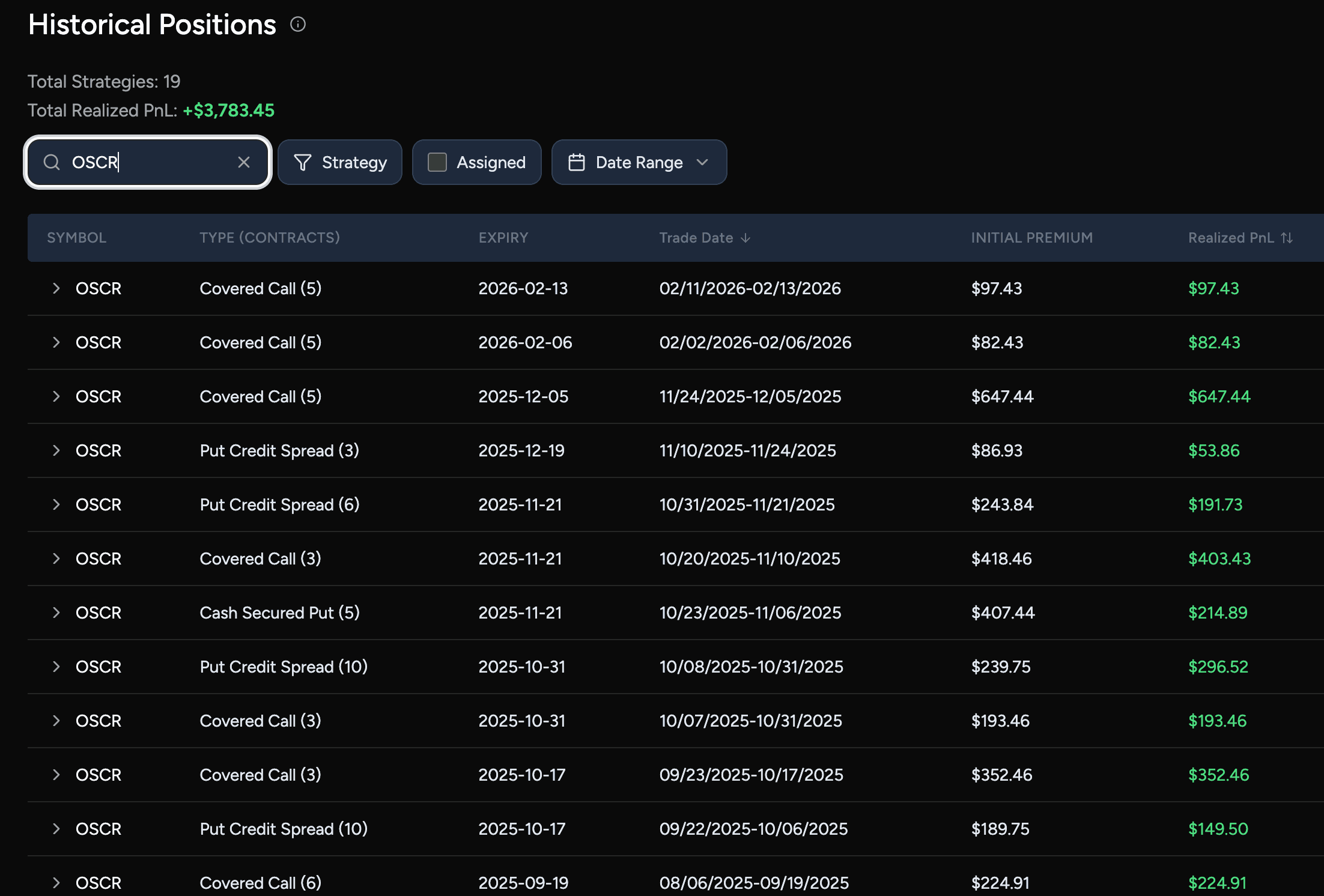
All closed option positions are automatically classified by symbol and strategy, making it easy to review past trades without digging through broker statements.
You can:
- Search by symbol to find trades on a specific stock or ETF
- Filter by strategy (vertical spreads, calendar spreads, diagonal spreads, covered calls, iron condors, cash-secured puts, and more)
- Filter by assigned to show only trades where options were assigned (e.g. stock was put to you or called away)
- Filter by time range (last week, this month, YTD, or a custom date range)
- Sort by date or PnL — click the Trade Date or Realized PnL column header to sort ascending or descending
- Review realized PnL for each trade or strategy
- See key contract details such as strike prices, expiration dates, and trade dates
- Inspect initial premium, final outcomes, and transaction fees in detail
Diagonal Spread includes call and put pairs in either expiration direction. Expand a strategy to inspect each leg’s strike, expiration, and close details. Existing history needs a re-import to receive the new classification.
This view is designed for auditing, review, and deeper analysis — whether you’re checking individual trades, validating performance, or tagging trades into rolling campaigns.
Historical Trades serves as the foundation for your analytics, giving you a clean and accurate record of everything you’ve traded.