Option Positions
The Option Positions panel is your live command center for monitoring open option trades. All quotes are realtime with no delay.
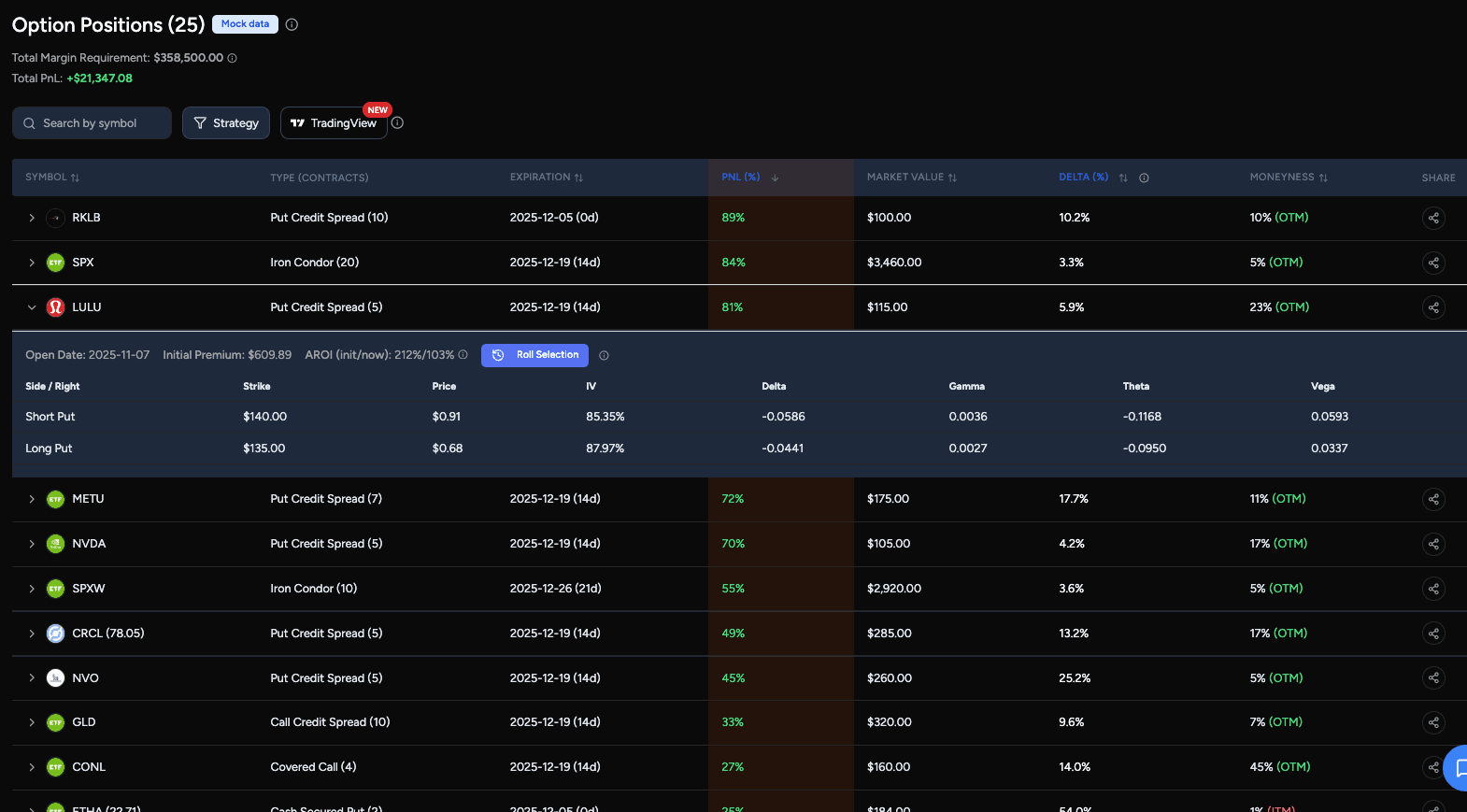
All open positions are automatically grouped and classified by strategy (such as vertical spreads, calendar spreads, diagonal spreads, iron condors, covered calls, and more), so you can understand your exposure at a glance instead of tracking individual legs.
You can sort and scan positions using key risk and performance metrics, including:
- PnL (%) to quickly identify winners and positions ready to close or roll
- Delta to understand directional exposure (with the ability to toggle between delta percentage and extrinsic value $)
- Days to expiration (DTE) to prioritize positions that need attention
- Moneyness to see how close your strikes are to the underlying price
When the underlying price is unavailable, Moneyness (ITM/OTM) and Extrinsic display — for every strategy. Delta still displays when option data is available.
Clicking into a position reveals detailed leg-level data, including Greeks, implied volatility, and pricing, making it easy to assess risk without switching tools.
Diagonal Spreads
A Diagonal Spread pairs one long and one short option on the same underlying, both calls or both puts, with different strikes and expirations. Either leg may expire first. Calendars and vertical spreads take priority when multiple groupings are possible.
The row shows both expirations, with DTE based on the earlier one. Moneyness, Delta, and Extrinsic refer to the short leg in either expiration direction. Delta is the short option’s absolute delta, not the spread’s net delta. Missing short-leg data displays as —; expand the row to inspect each leg.
Net Premium is positive for a credit and negative for a debit. PnL uses the signed cash flow required to close both legs; Market Value shows its absolute value. Both quotes are required for valuation. Percentage PnL is unavailable for a zero net premium, and diagonal margin/AROI estimates are unavailable.
Rolling Campaign Tracking
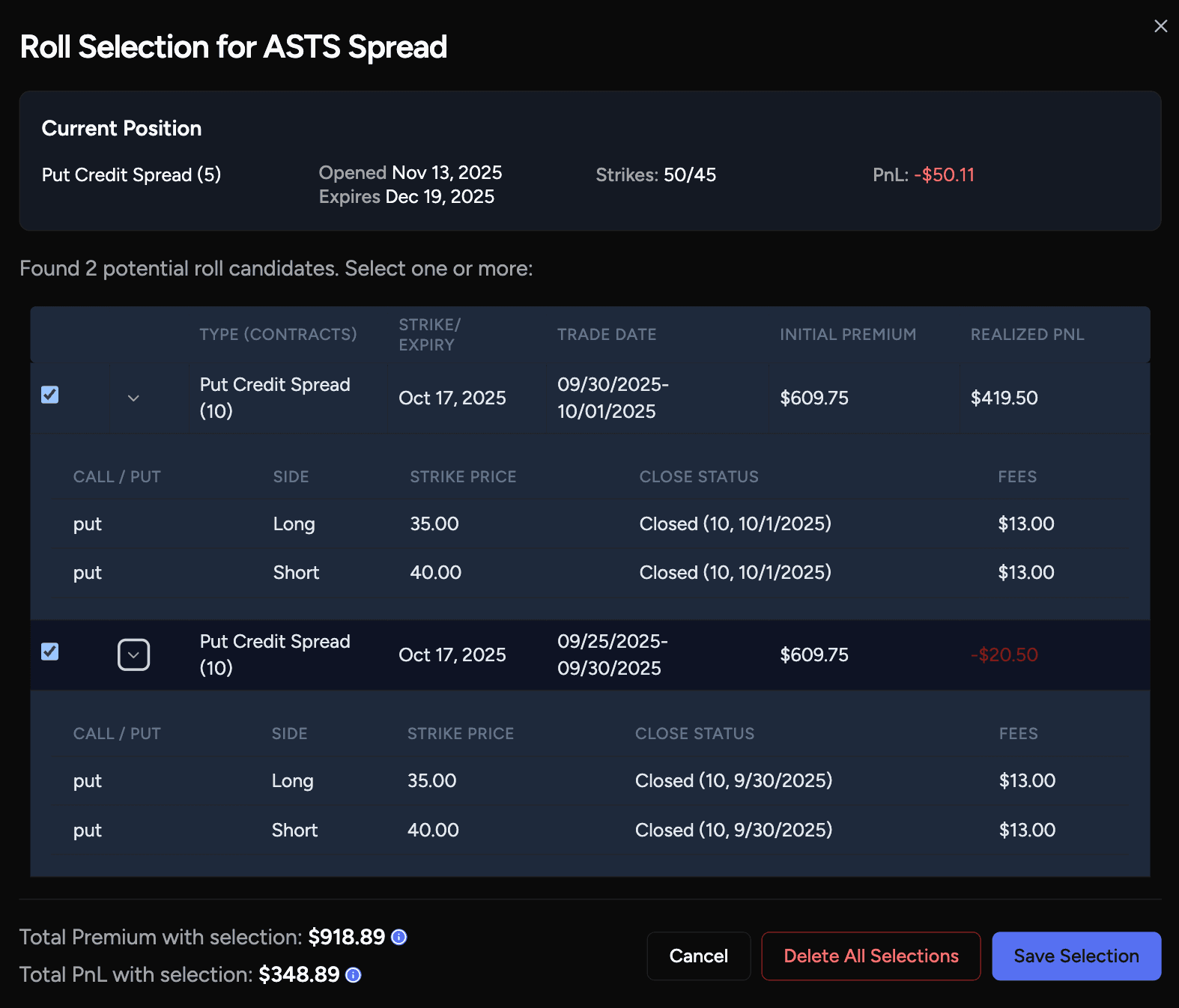
As you roll positions over time, you can tag related trades into a rolling campaign. This allows you to treat multiple adjustments as a single strategy instead of fragmented trades.
Rolling campaigns show your combined PnL across all past and current rolls, helping you understand the true performance of an ongoing strategy.
Together, the Option Positions panel and rolling campaigns give you a clear view of both current risk and long-term strategy performance, all from a single daily workflow.
TradingView Integration
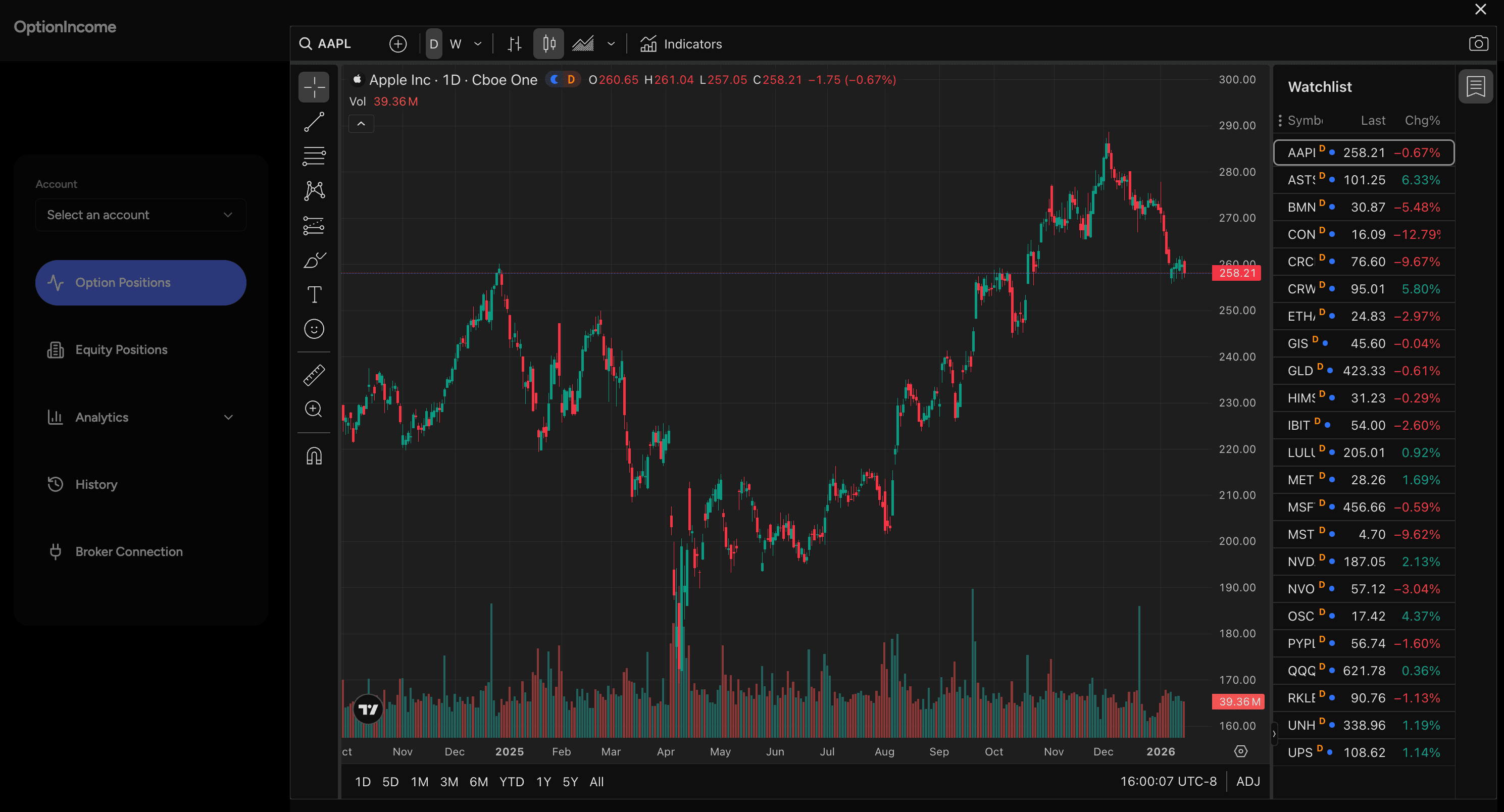
Clicking TradingView opens an embedded TradingView panel with a watchlist that is automatically populated with all symbols from your open positions. This lets you review technical levels, trends, and price action across your entire option portfolio in one place.
TradingView charts use real-time symbols with a 15-minute quote delay, while OptionIncome’s position metrics and PnL are updated in real time.