Equity Positions
The Equity Positions page gives you a clear view of your stock holdings and wheel strategy performance.
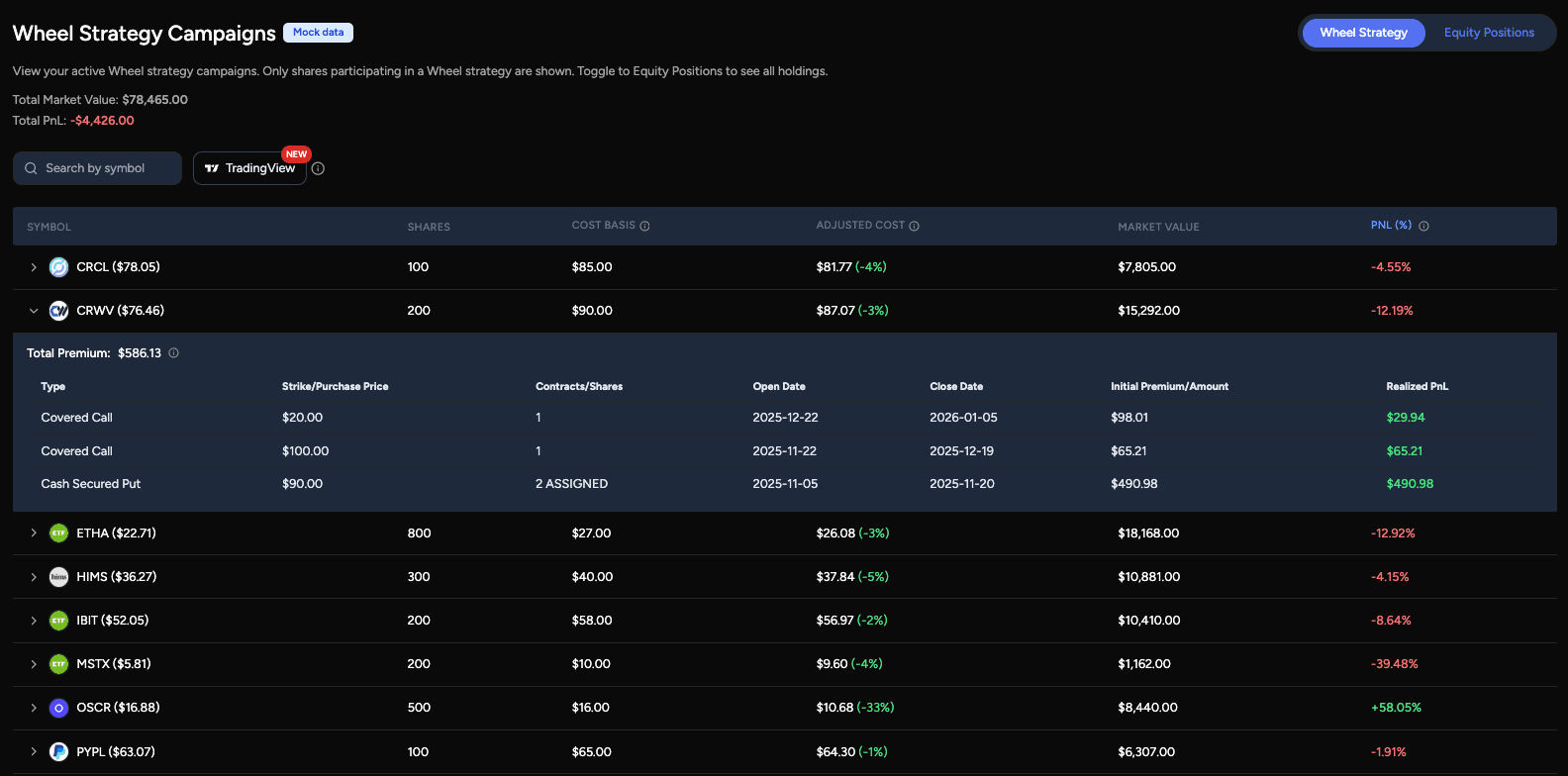
Wheel Strategy Tracking
OptionIncome automatically detects ongoing wheel strategy campaigns based on your trading activity. When a cash-secured put is assigned, the position transitions seamlessly into an equity position.
For each wheel campaign, you can see:
- Assigned shares from cash-secured puts
- Covered call premium collected over time
- Combined option premium across puts and calls
- Reduced cost basis for the underlying stock
This lets you understand your true entry price and how option income is lowering your cost over time — without manual tracking or spreadsheets.
Customizing which transactions belong to a wheel
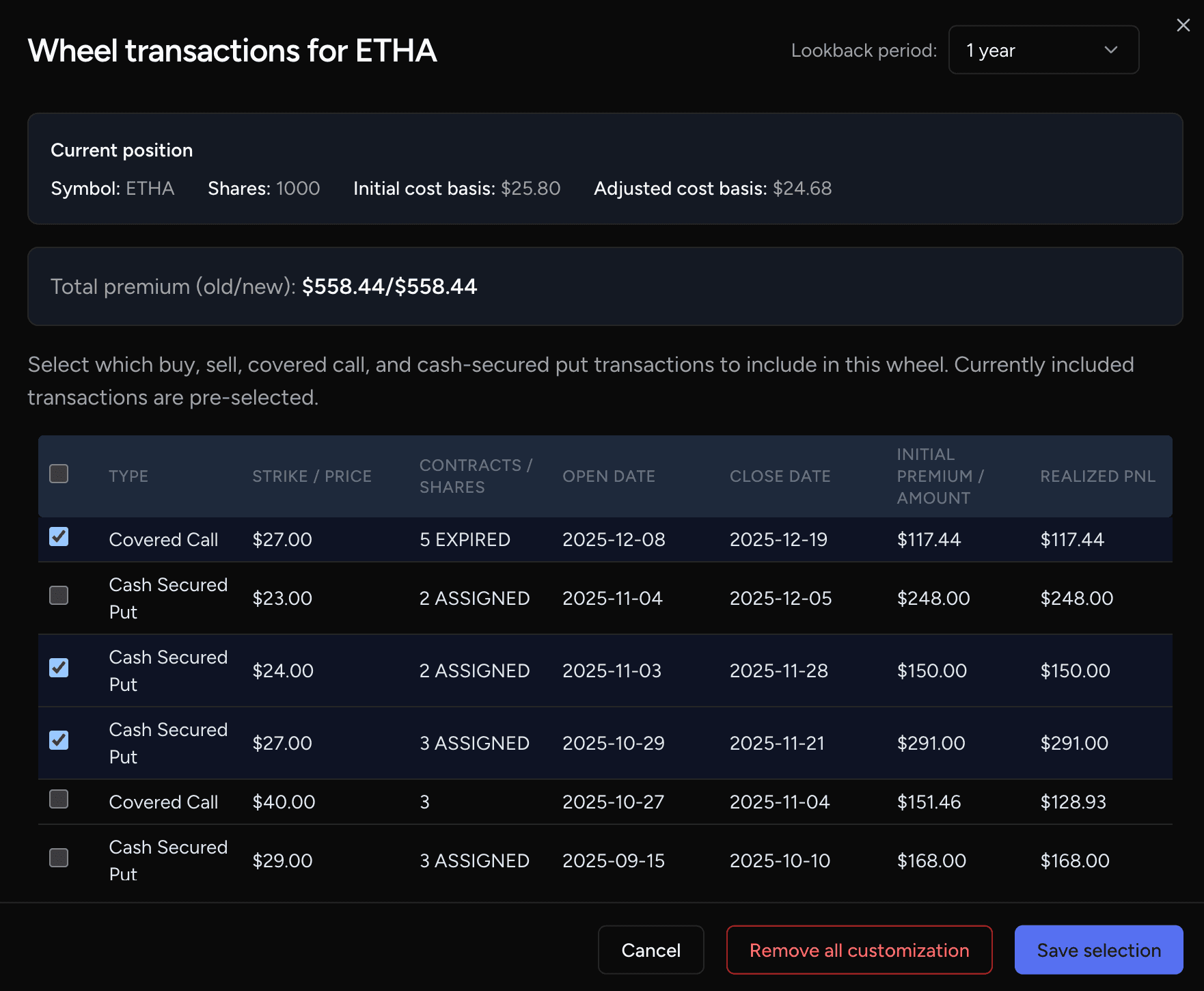
You can control exactly which transactions count toward a wheel for a given symbol. From the Equity Positions page in wheel view, use Customize on a symbol to open the wheel customization dialog. There you can:
- Include or exclude option trades and equity buys that OptionIncome detected for that symbol (from your position and history).
- Add manual buy entries (e.g. stock purchased outside the app) so premium and cost basis reflect your full wheel.
- Save your choices per symbol; total premium and adjusted cost basis for that wheel are then based only on the transactions you selected.
You can also add a new symbol to the wheel table by choosing a symbol that appears in your equity holdings but is not yet in the wheel list, then customizing which transactions belong to that wheel. This is useful when you want to start tracking a wheel for a position that was assigned or bought elsewhere.
In simple terms, we watch how your shares change over time (shares assigned, sold, or called away), then group the matching option activity into the right wheel campaign.
That way, older completed cycles do not get mixed into your current one, and the premium shown stays tied to the shares you hold now.
Stock Positions Overview
In addition to wheel campaigns, the Equity Positions page includes a full view of all stock holdings across your connected brokers.
You can:
- Search and filter by symbol
- View total PnL at the stock level
- Quickly scan position size and performance
Together, wheel strategy tracking and stock-level views give you a complete picture of how option income and equity performance work together in your portfolio.