Connect Interactive Brokers (IBKR)
Before connecting IBKR to OptionIncome, you must enable SnapTrade as a third-party service in your Interactive Brokers account.
1. Open Third-Party Reports
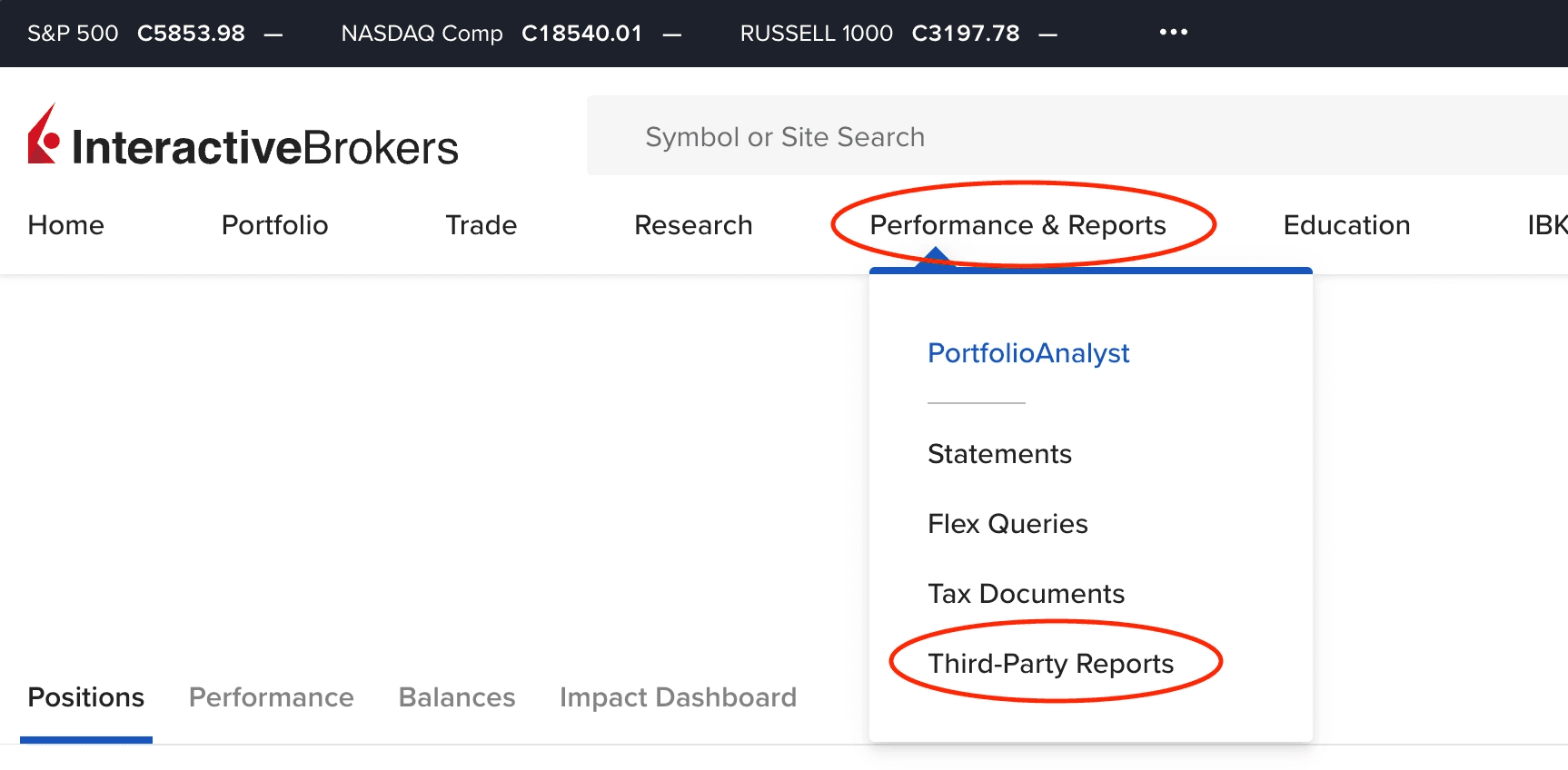
Sign in to the IBKR Client Portal. From the menu, select Performance & Reports, then Third-Party Reports.
2. Open Third-Party Services settings
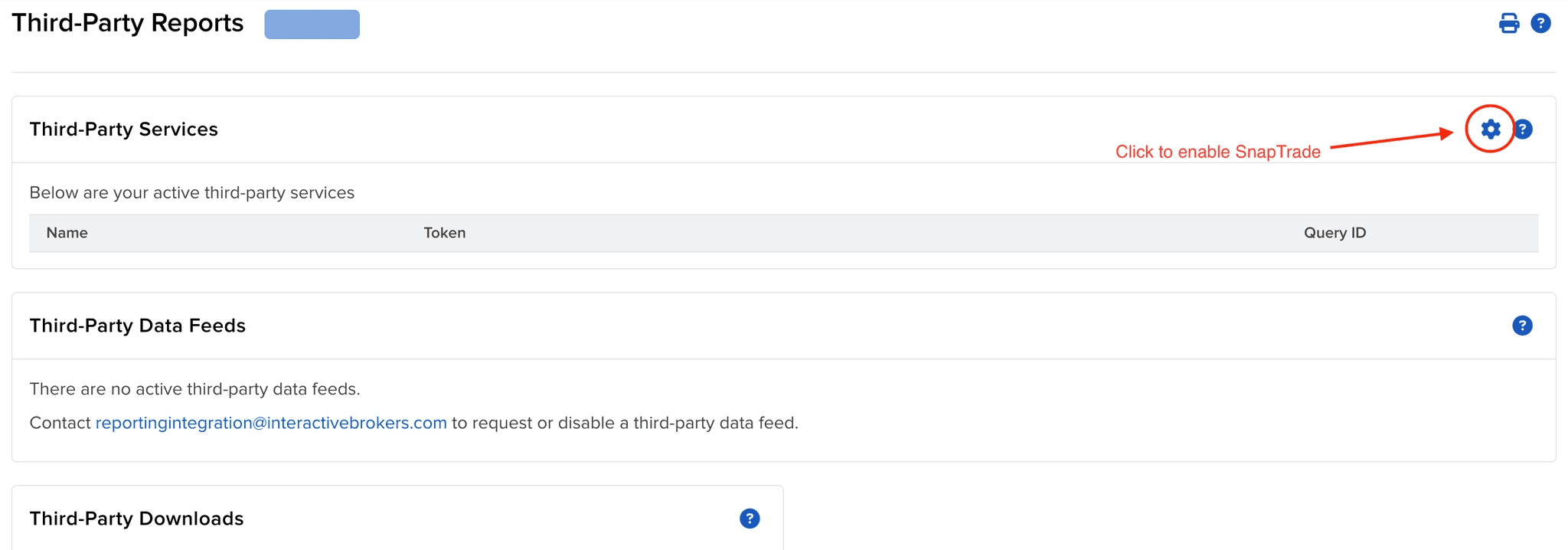
On the Third-Party Reports page, select the gear icon in the Third-Party Services section.
3. Enable SnapTrade
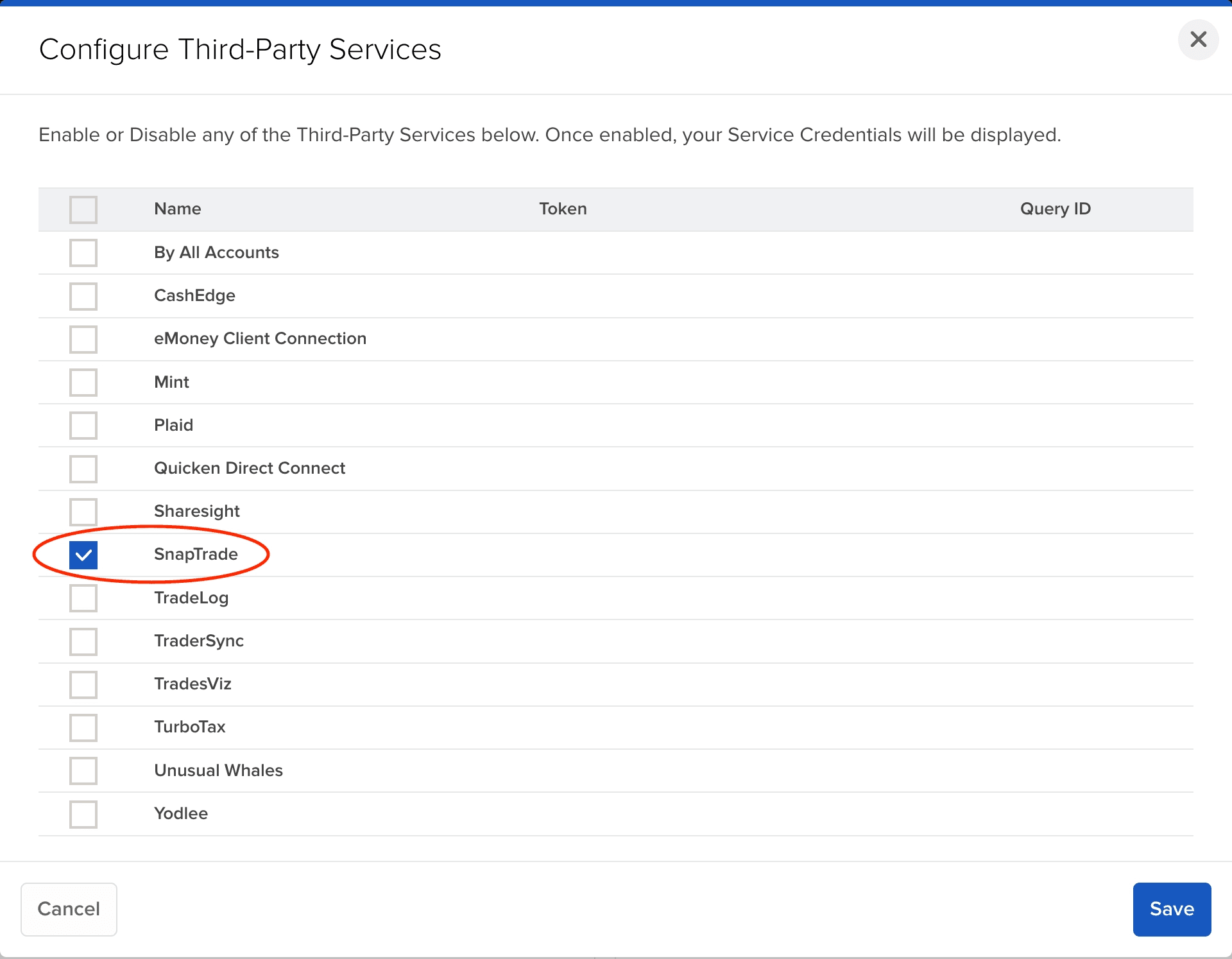
Select SnapTrade from the list of services, then select Save.
4. Connect your account
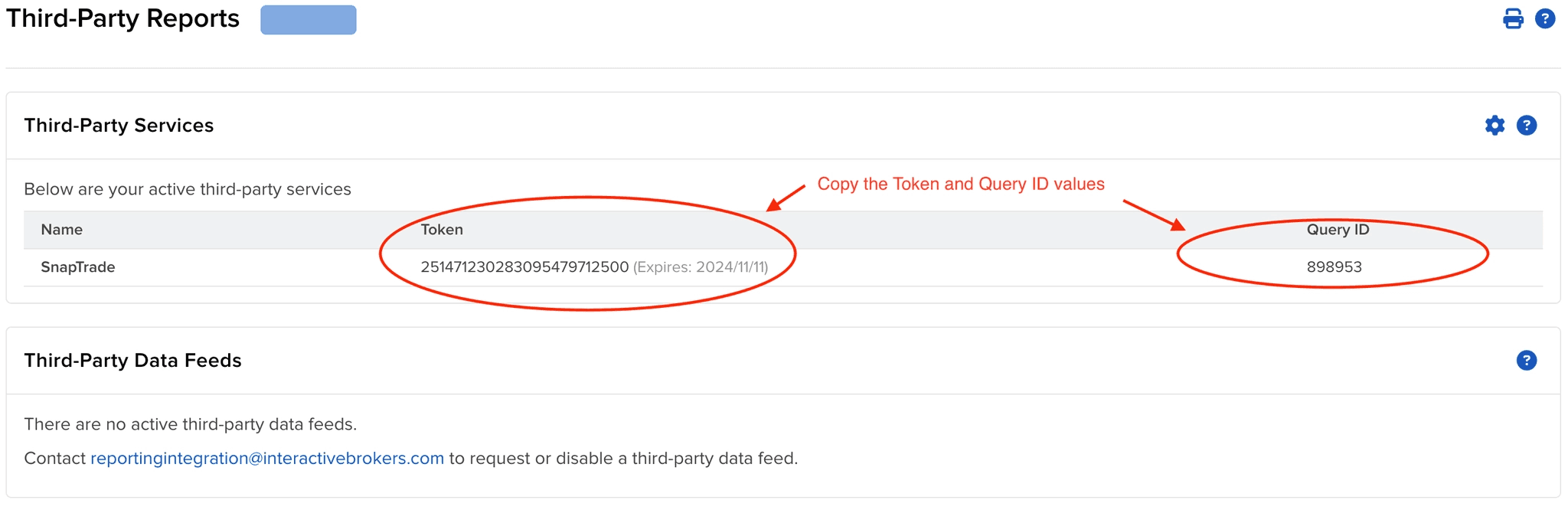
After saving, SnapTrade will appear under Third-Party Services. Copy the Token and Query ID, then use them when prompted during the OptionIncome broker connection flow.
When your account becomes available
Your IBKR account may not be available for selection immediately after connecting. Initial account availability can take up to 72 hours.
OptionIncome will email you when the account is ready to select. Please keep your IBKR connection active while you wait. If your account is still unavailable after 72 hours, please contact us.
Data reporting and delays
IBKR reports account and trade data once per day. Live positions can be delayed by up to 24 hours after settlement, and historical trades can be delayed by up to 48 hours after settlement.
See the broker data comparison for history length and timing details across all supported brokers.