Track Your Option Trading Like a Business
Your broker statement shows trades — not strategies. OptionIncome auto-syncs from your broker, links your covered calls, spreads, and wheel trades together, and shows you the real P&L behind every strategy you've ever run.
The Options Tracker Built for How You Actually Trade
Your broker tracks trades. OptionIncome tracks performance — no CSV uploads, no manual entry
Automatic Options Trade Tracking
Connect your broker once and OptionIncome syncs your full history and live positions — automatically classifying every strategy, from simple Covered Calls to multi-leg Spreads and Iron Condors. Your entire trade history, organized from day one.
Track Rolling Profitability
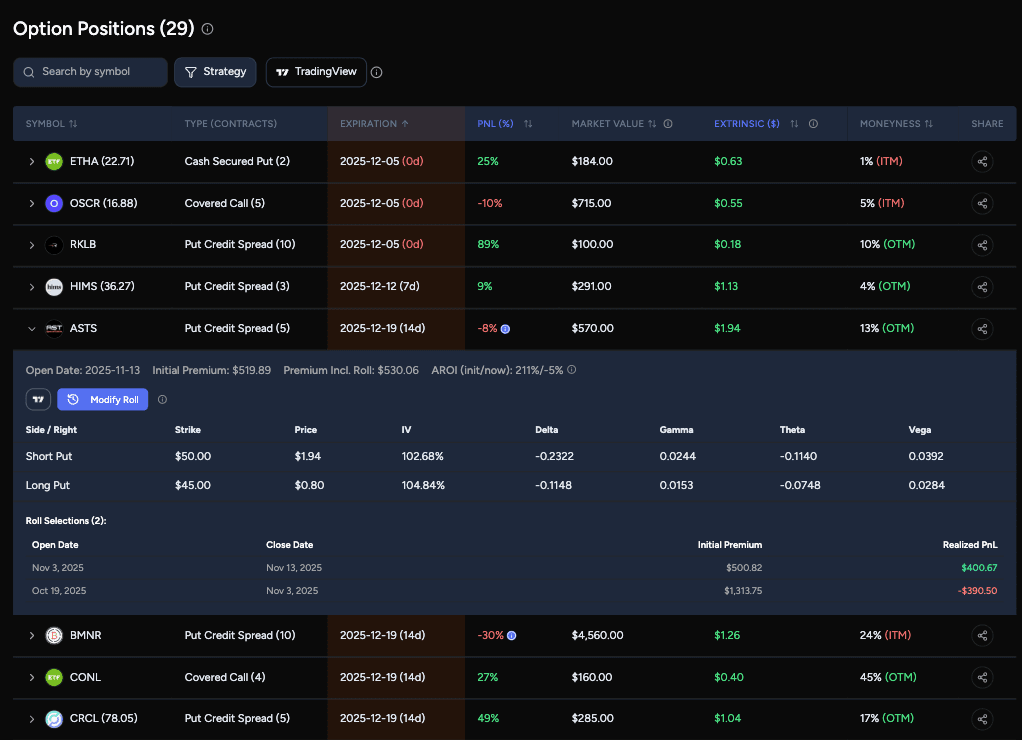
Brokers see a rolled position as a "realized loss." We see it as a strategy in motion. Link previous rolls to track the true running PnL of a position from the first open to the final close.
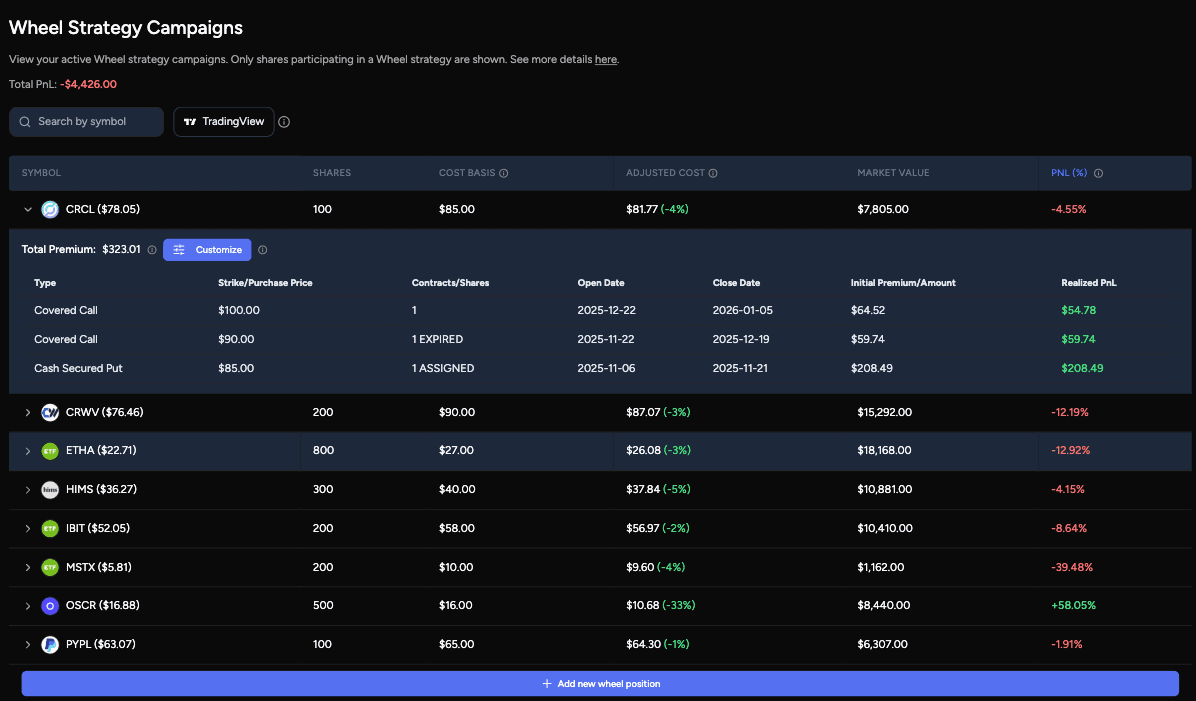
True Cost Basis for Your Wheel Strategy
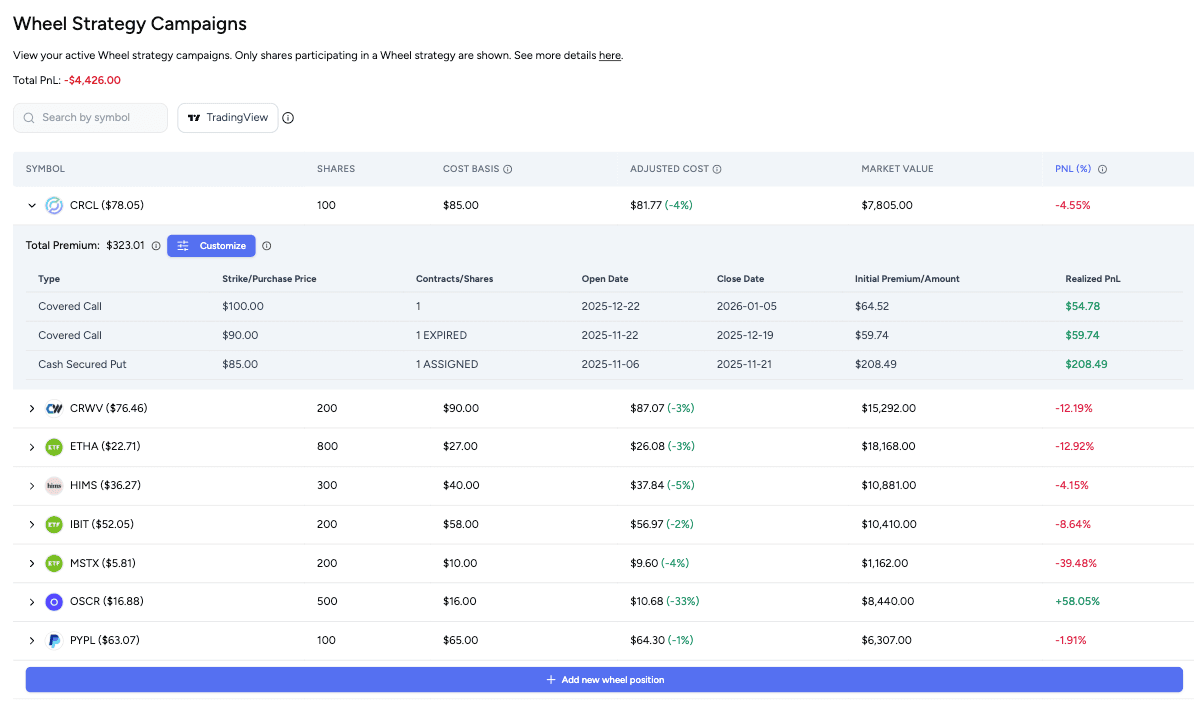
Brokers only track your assignment price. OptionIncome factors in every premium collected — from your original CSP to every Covered Call on top — so you always know your true cost basis and exactly where your next strike stays profitable.
Supported Brokers
 Robinhood
 Schwab
 Tastytrade
 E-Trade
 Fidelity
 Webull
 IBKRcoming soon
 Moomoocoming soon
Your Options Trading Journal & Tracker — In One Place
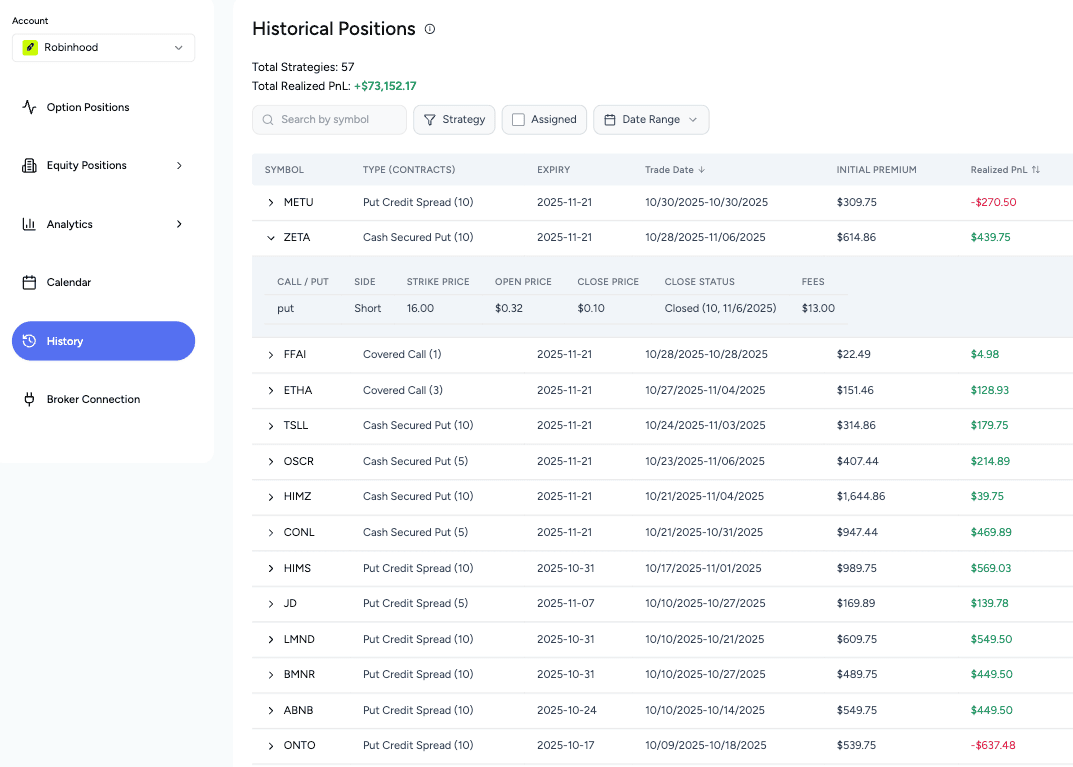
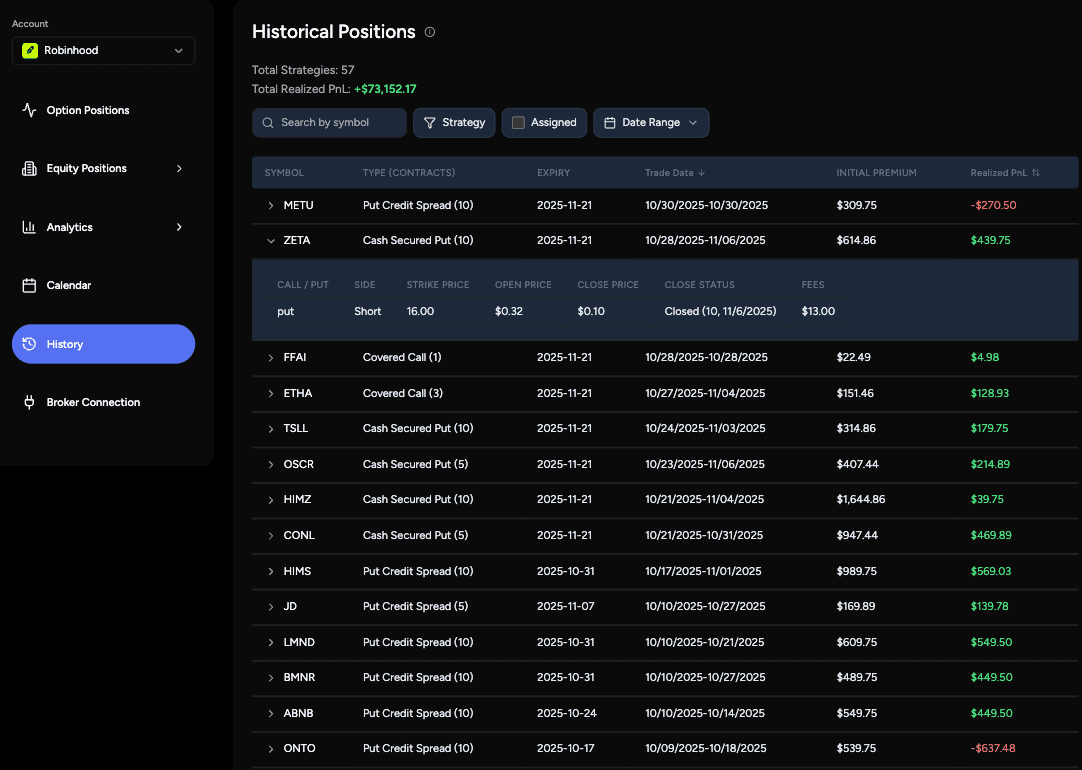
Search your full trade history by ticker or strategy. Every closed trade logged automatically — no manual entry.
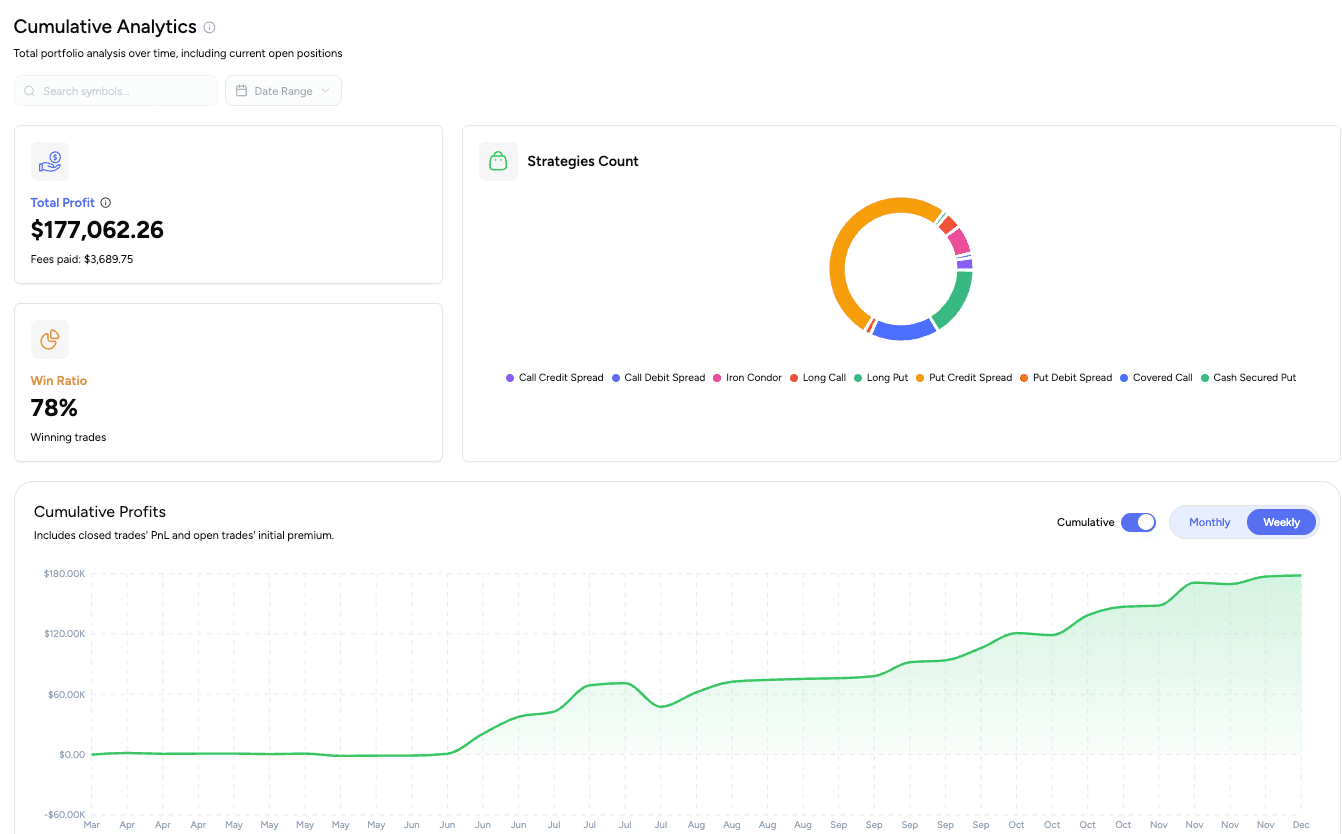
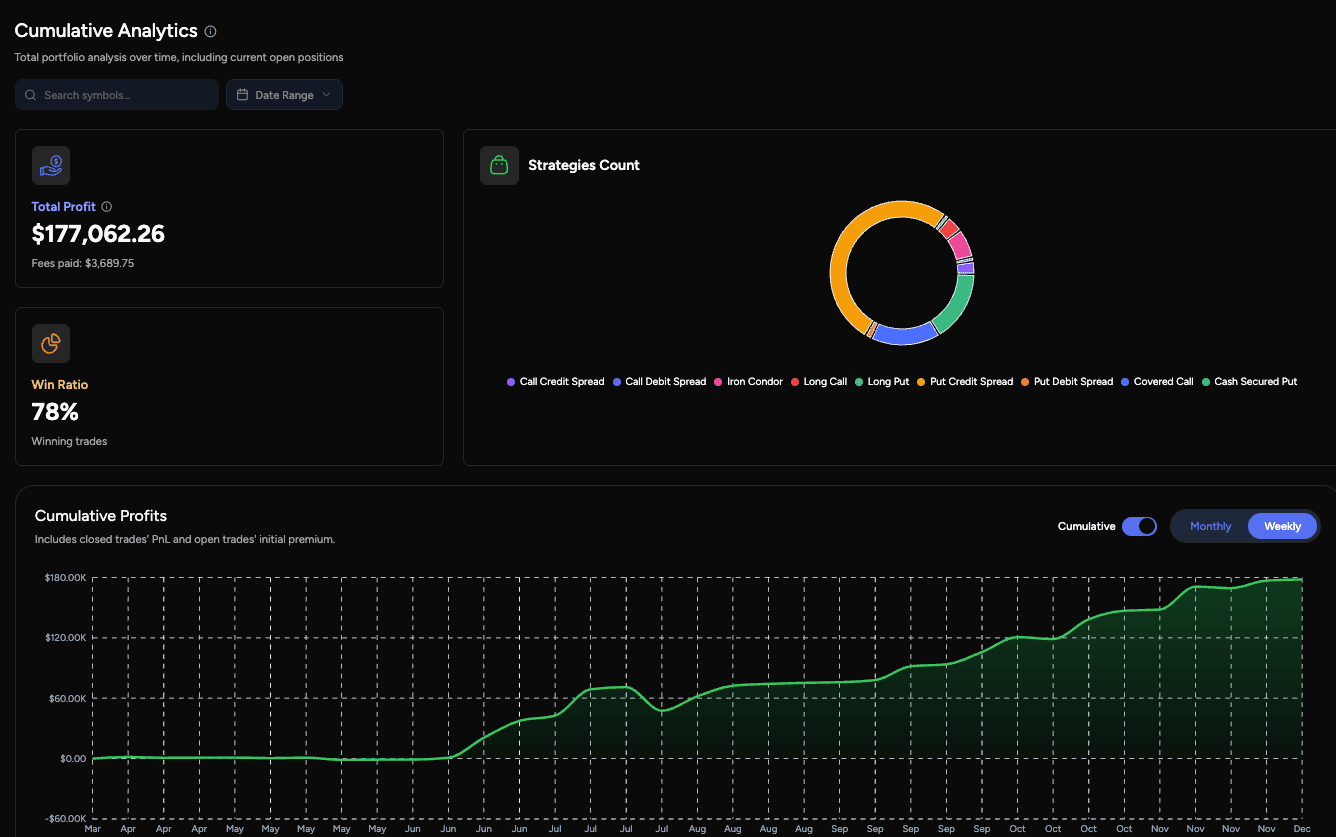
See your cumulative P&L curve since day one. Know if your strategy is actually working, or just getting lucky.
Find out which strategy is your real edge — and which one you should stop trading.
Track weekly premium consistency to verify you're building real income, not just occasional wins.
Know Exactly Which Positions Need Your Attention
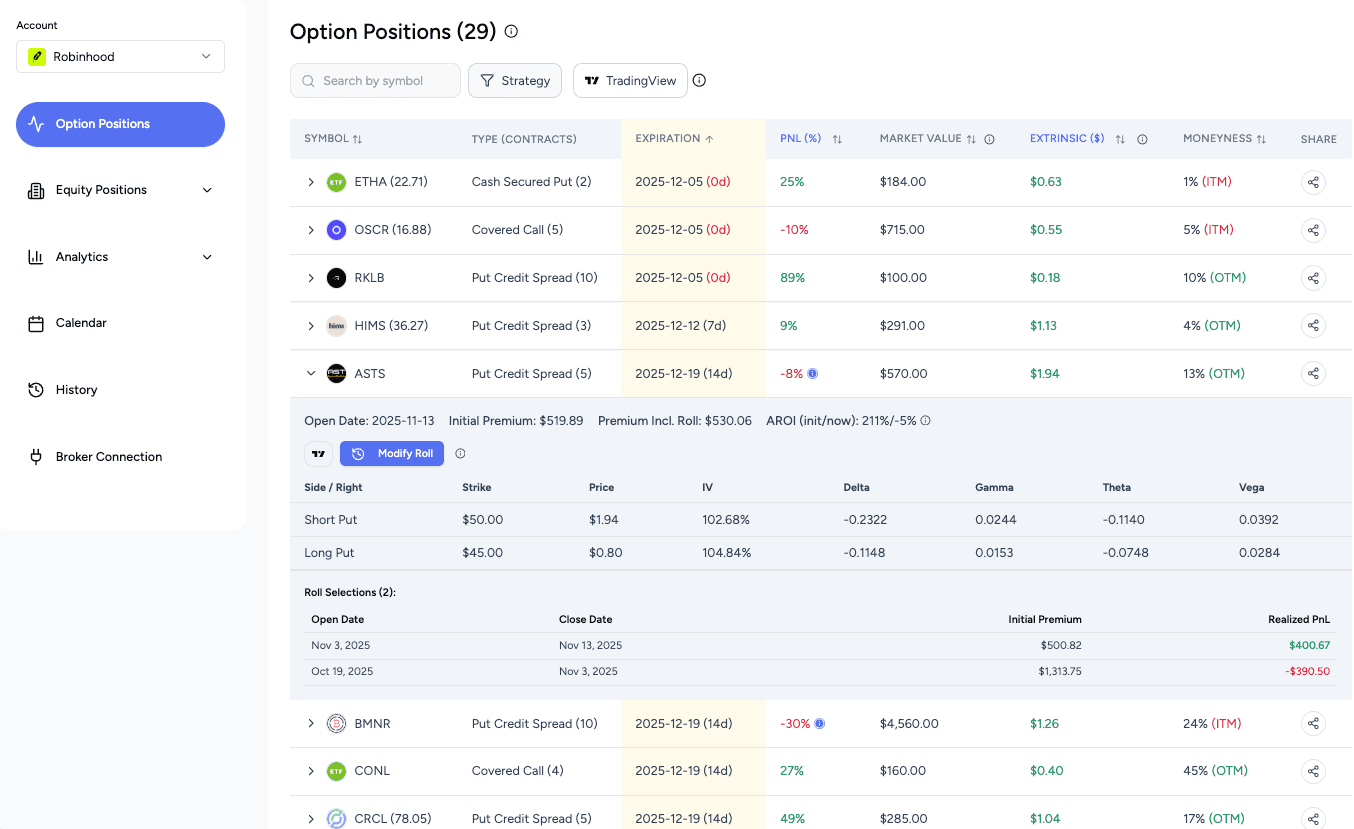
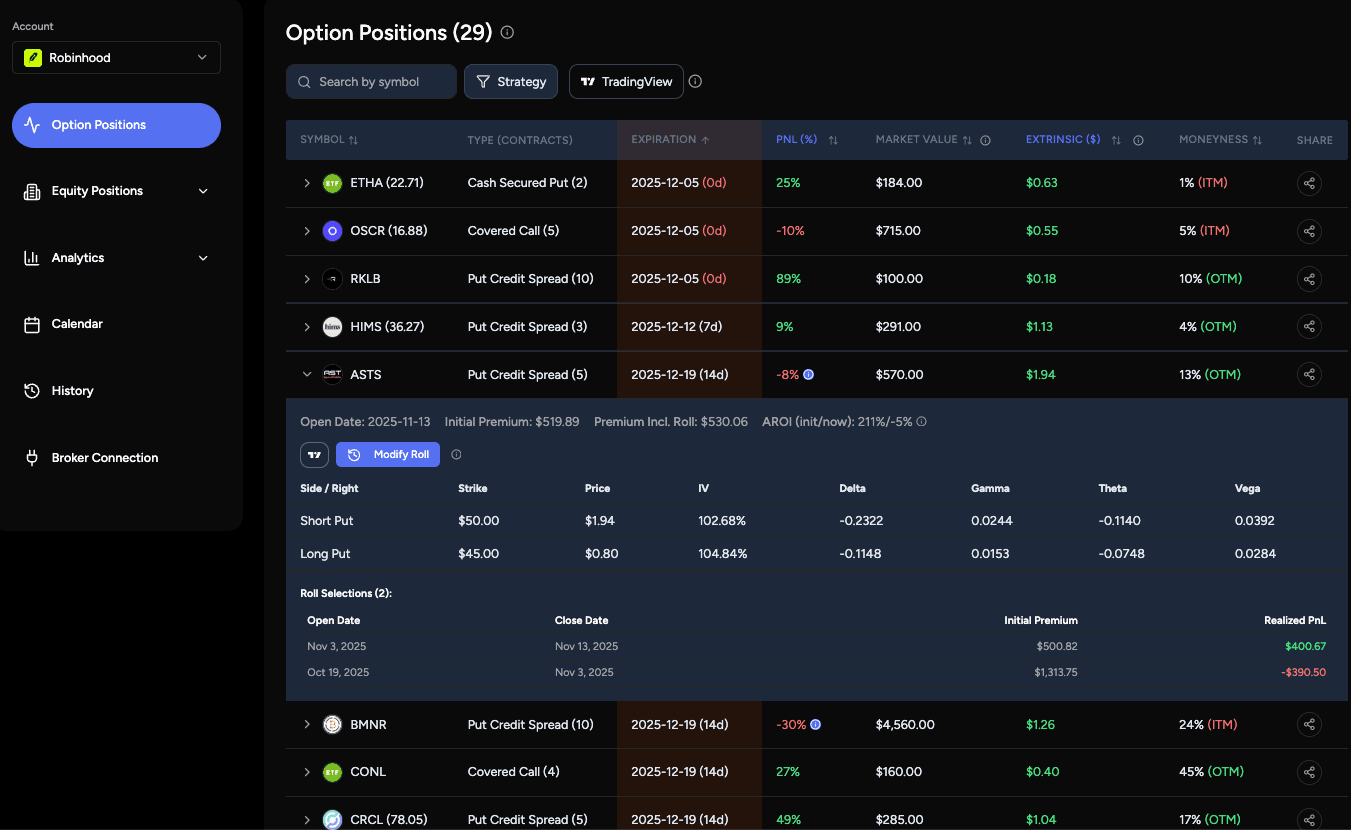
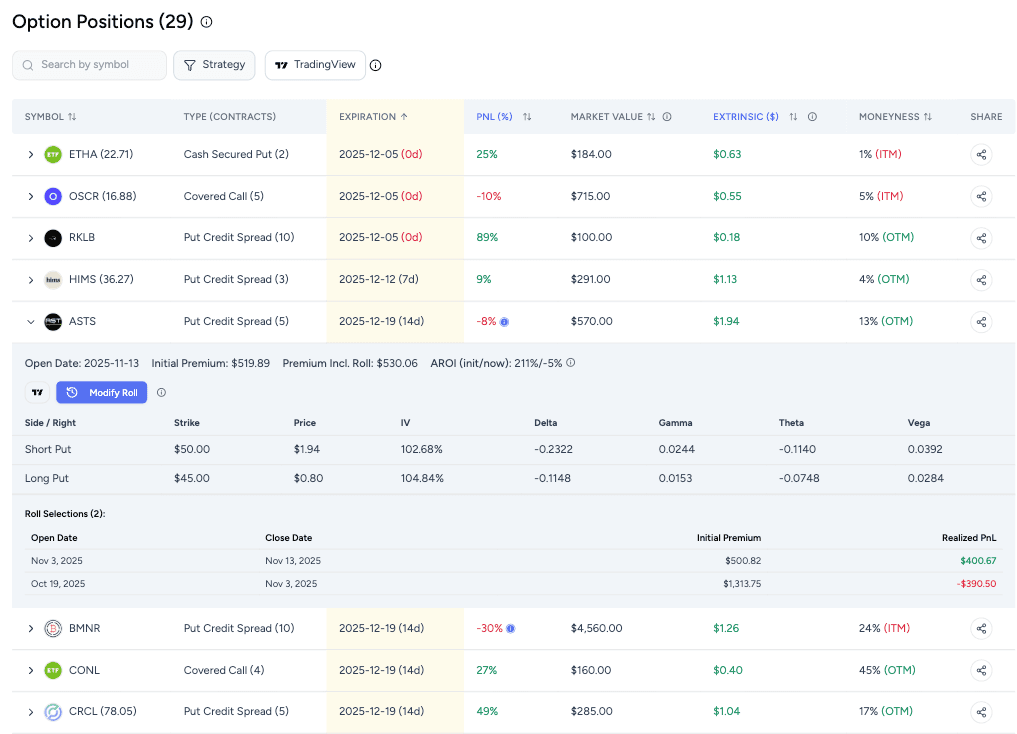
See your riskiest positions first. Sort by any metric — delta, expiration, P&L, moneyness — in one click.
See which positions have already hit your profit target — close early and redeploy your capital faster.
Live Greeks, IV, and TradingView charts for every open contract. No tab-switching.
Identify roll candidates instantly — see the true P&L of the full strategy, not just the current leg.
Run the Wheel Strategy Without Losing Track
Your broker sees a put, an assignment, and a covered call. OptionIncome links them together as one wheel cycle automatically.
See your true adjusted cost basis — know the exact strike where selling calls keeps you profitable, even after the stock drops.
Customize your wheel — decide exactly which trades belong to each cycle so the P&L reflects how you actually trade.
Frequently Asked Questions
What's the difference between the options tracker and the options journal?
The tracker is for your open positions — it shows live Greeks, real-time P&L, and days to expiration for everything you have on right now. The journal is your closed trade history — a searchable record of every trade you've made, with P&L filtered by strategy or ticker so you can see what's actually working over time. Most options traders need both. OptionIncome combines them in one place, so your live tracker and your trade journal are always in sync without any extra effort.
Why can't I just use my broker to track my options trades?
Your broker tracks individual trades, not strategies. If you've rolled a covered call twice, your broker shows three separate trades — and one of them looks like a realized loss — with no way to see the combined result. It also can't tell you which strategy has been your most profitable, how a specific ticker has treated you over time, or what your adjusted cost basis is after collecting premiums. OptionIncome links your trades together into the strategies they actually represent and shows you the real numbers behind every position you've run.
Does OptionIncome work for the wheel strategy?
Yes — it's one of the core reasons we built it. The wheel creates a chain of related trades across weeks or months, and most tools treat each leg as a separate unrelated event. OptionIncome automatically detects your wheel cycles, links your cash-secured puts, assignments, and covered calls together, and calculates your true P&L and adjusted cost basis across the full cycle. You can see exactly what strike price keeps you profitable on your covered calls even after the stock has moved against you.
Which brokers do you support?
OptionIncome supports 5 major brokers: Robinhood, Charles Schwab, Fidelity, E*Trade, Tastytrade and Webull, with Interactive Brokers and Moomoo coming soon. All integrations use secure OAuth authentication with read-only access. Check out the Brokers page for more details. If your broker isn't listed, contact us - we're actively expanding our integrations.
What option strategies do you support?
OptionIncome automatically tracks major option strategies including: Cash Secured Puts, Covered Calls, Call Credit Spreads, Put Credit Spreads, Call Debit Spreads, Put Debit Spreads, Long Calls, Long Puts, Iron Condors, and Strangles. The platform identifies and categorizes positions based on leg structure, strike prices, and option types. If you don't see your strategy listed, contact us - we're actively expanding our support.
Is there a free trial?
Yes. Every new account gets a 14-day free trial. You get full access to broker sync, live position tracking, trade history, and analytics during the trial. After 14 days, you can subscribe or your account reverts to view-only mode.
Do I need to manually enter my trades?
No. OptionIncome connects directly to your broker and pulls your trades automatically. Every new trade, close, and roll is imported when you sync — no spreadsheet, no manual logging. The only thing you do is click Sync Broker after placing new trades (auto sync is coming soon).
Are live positions shown in real time?
OptionIncome syncs market data (prices, Greeks, and moneyness) automatically every 5-10 seconds when viewing the dashboard. Position updates appear within 1-2 minutes after you place a trade. Check out the Sync Broker page for more details.
What access do you have to my broker?
Only read access.
We use the SnapTrade API - a SOC 2-compliant broker connector - to securely retrieve your historical option trades and current positions.
SnapTrade handles the broker login process, so your credentials are never shared or visible to us.
Does OptionIncome support options on futures or crypto?
Not currently. OptionIncome is built specifically for equity options — covered calls, cash-secured puts, spreads, iron condors, and the wheel strategy on stocks and ETFs. Futures options and crypto options are not supported at this time.
What option sellers are saying
“I just want to say it's really nice to now be able to have the actual cost basis. Whew.”
Paul R.
Wheel strategy trader
“The adjusted cost basis feature is the reason I subscribed. I finally know exactly where I need my covered call strike to stay green on my shares.”
Jie W.
Covered call seller
“I was using a Google Sheet to track my option trades. This replaced it completely — and it syncs automatically. Wish I found it sooner.”
Anthony L.
Options income investor
“Seeing my cumulative P&L curve since day one was eye-opening. I thought I was doing great — turns out two strategies were dragging everything down.”
James T.
Options seller
“The broker sync just works. Tastytrade connected in under a minute and all my trades were there. No manual entry at all.”
Vivek R.
Tastytrade user
Track Your Option Trading as a Business
Save 34% with the annual plan
Pro Plan
Save $120/yearFor serious options income traders
$19
/monthBilled annually ($228/year)
- ✓ Full trade history import with advanced analytics
- ✓ Live position tracking for options and equity (wheel-adjusted cost basis)
- ✓ Automatic broker syncing to keep your data always up to date
- ✓ Real-time option prices, Greeks, and IV
- ✓ TradingView integration for live charts
- ✓ Connect unlimited broker accounts
Lifetime Plan
Limited time offerPay once. Unlock everything
$399
Existing subscription cancels automatically
- ✓ Lifetime access to all Pro features
- ✓ All future features across every tier included
- ✓ One-time payment, no recurring charges ever
- ✓ Priority support and early access to major updates
Need help getting started?
Check out our documentation or changelog for answers to common questions.